

Integrated Workflow
Back office operations generate a constant stream of decisions, approvals, and handoffs. Without a system to manage that flow, critical items get missed, emails pile up, and your team spends time chasing status rather than doing work. Maestro's workflow engine eliminates that friction entirely.
Any save event can trigger a workflow.
Unlike workflow systems hardwired to a fixed set of compliance triggers, Maestro's workflow engine is completely dynamic. Any save event in the system — a new client record, a submitted transaction, a compensation change, a compliance flag, a document upload — can serve as the starting point for a workflow. If data is moving through Maestro, workflow can be built around it.
No-code configuration
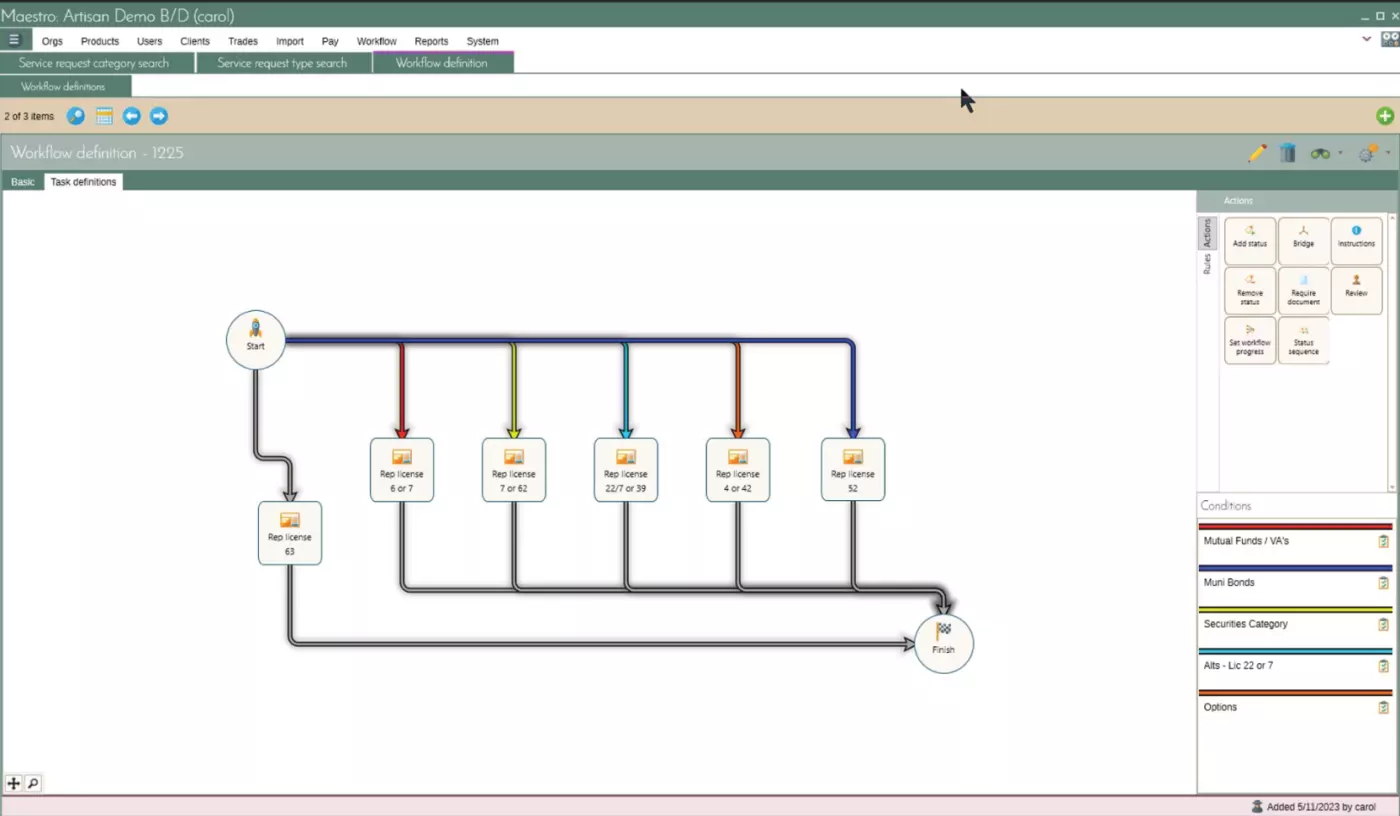
Back office admins build workflows in a graphical, flowchart-style editor — no programming or support tickets required.
Multi-tier review
Items can move through the appropriate chain of oversight before being resolved.
Real-time notifications
The right people are notified through their Maestro dashboard the moment an item needs attention.
Custom triggers
Specialized alerts, like a compensation tier change or license expiration, can be added by Artisan's development team.
Built by your team, not your vendor.
Workflows are configured directly by your back office administrators through a graphical, flowchart-style editor — no programming required, no support tickets to Artisan. Your team maps out the process visually, defines the rules, assigns the roles, and the system handles the rest. When your processes change, your workflows can change with them just as easily.
Multi-tier review, real-time visibility.
Chain of oversight
Not every decision belongs at the same level. Items move through the appropriate review tiers before resolution.
Dashboard visibility
Back office reviewers, compliance officers, managers, and reps in the field via Repertoire all see items in real time.
No one left wondering
Real-time visibility means no one is left wondering where something stands.
Configured your way, not a generic template.
Every firm operates differently. Maestro's workflow engine is designed around that reality — you define the triggers, the routing rules, the reviewers, and the escalation paths in your own terminology, reflecting how your firm actually works rather than forcing your team to adapt to generic system logic.
Frequently Asked Questions
Common questions about how Maestro's workflow engine works.